Tattoo artist
What happens if I haven't set an hourly rate?
Without your own rate, Tattooed calculates deposits for clients it brings you using a reference rate that may differ from your actual pricing.

Tattooed applies a reference hourly rate set by the platform for you. This rate is used to calculate the deposit requested from clients Tattooed brings you, and it may differ from your actual pricing.
How it affects the deposit
The deposit is a portion of a reference amount calculated by multiplying the low end of the time estimate by the hourly rate used. A fallback rate that is higher or lower than yours therefore moves this reference amount in either direction before the platform's minimum and maximum deposit limits are applied.
The fallback rate is a single value set by the platform and is the same for every tattoo artist who has not stated a rate. It does not take your studio, city, or style into account.
Your own clients never see this rate
The fallback rate is used for only one purpose: calculating a deposit, and a deposit only applies to a session brought to you by Tattooed. A client who books through your booking page or whom you add to your calendar yourself does not pay a deposit calculated from an hourly rate. You give them your price, and if you send them a quote with a deposit, that price is used as the basis. The platform's rate is never involved.
Not stating your hourly rate therefore has no effect on your own clients. It only affects the amount Tattooed requests from clients it sends you. See What is the difference between a client brought by Tattooed and a client who is already yours?.
Where to set it
You can set your hourly rate in two places: under "Settings" and then "Profile", or under "Calendar" on the "Settings" tab. While the field is empty, the screen already shows the fallback rate being applied. You can see what is being used for your appointments even before saving your own rate.
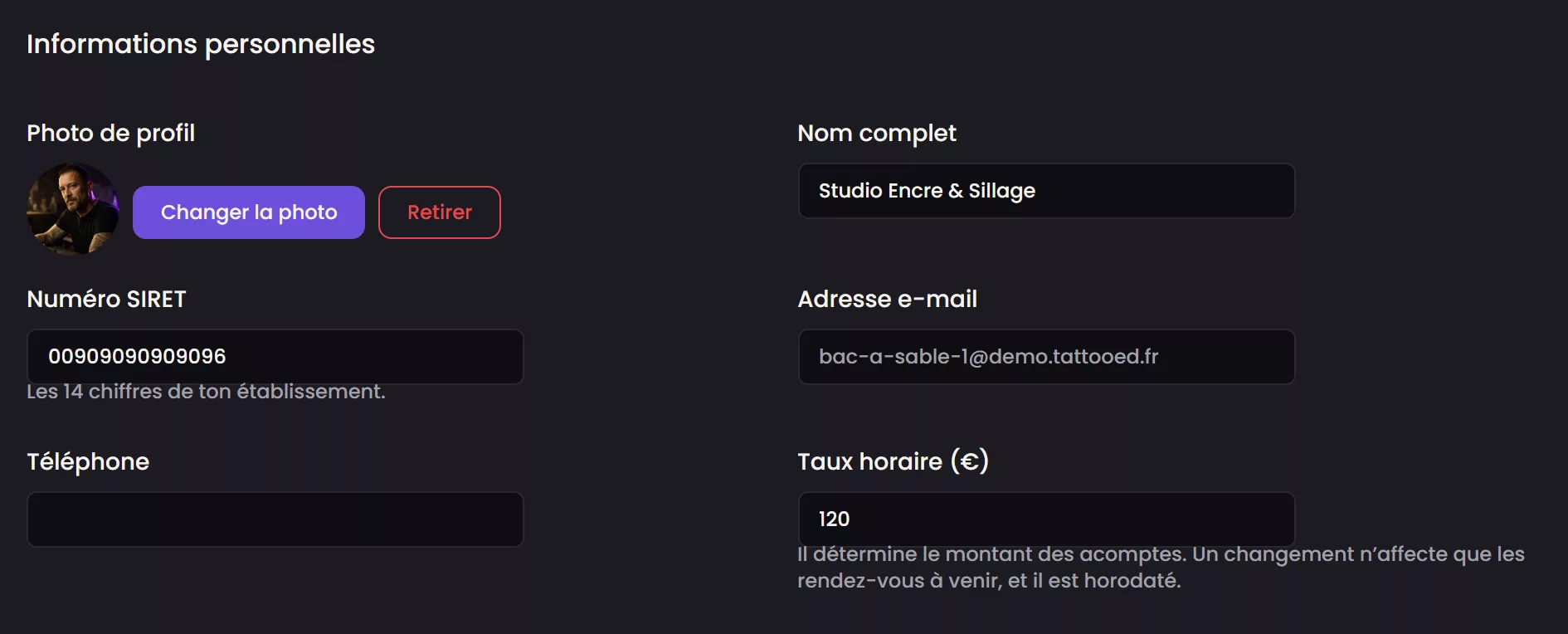
Your rate change history
Your profile keeps a history of changes to your hourly rate, including the date of each change and the old amount next to the new one. This makes it possible to see months later why a past deposit was calculated at a particular amount rather than another.
What changes as soon as you set it
The change only applies to future appointments. An appointment that has already been offered or confirmed keeps the amount calculated when it was assigned, using the rate in effect at that time.
See How is my client's deposit calculated? for details of the calculation, and How do I change my hourly rate on Tattooed? for instructions.