Client
How do I pay my deposit in the app?
Pay by card in the app within the 30-minute countdown. The server, not the payment sheet, confirms your appointment.
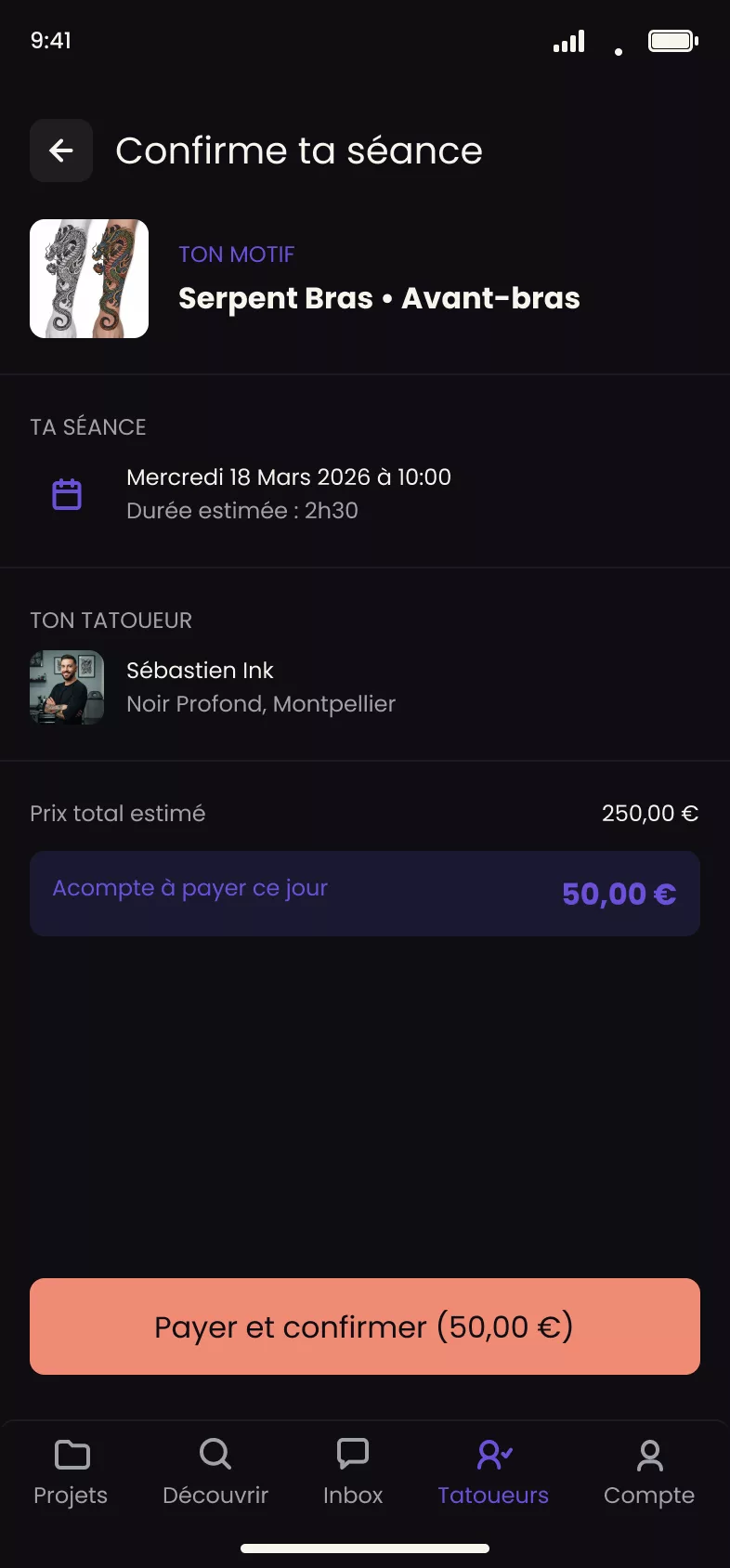
On your appointment summary screen, a button opens a secure payment sheet where you enter your card details. You have 30 minutes to pay after an artist is assigned. If you do not, the slot is released.
This process describes an appointment assigned by Tattooed. The same payment sheet opens when you accept a quote with a deposit sent by your artist, but without a 30-minute countdown. A direct booking without a quote does not require any online payment.
Steps
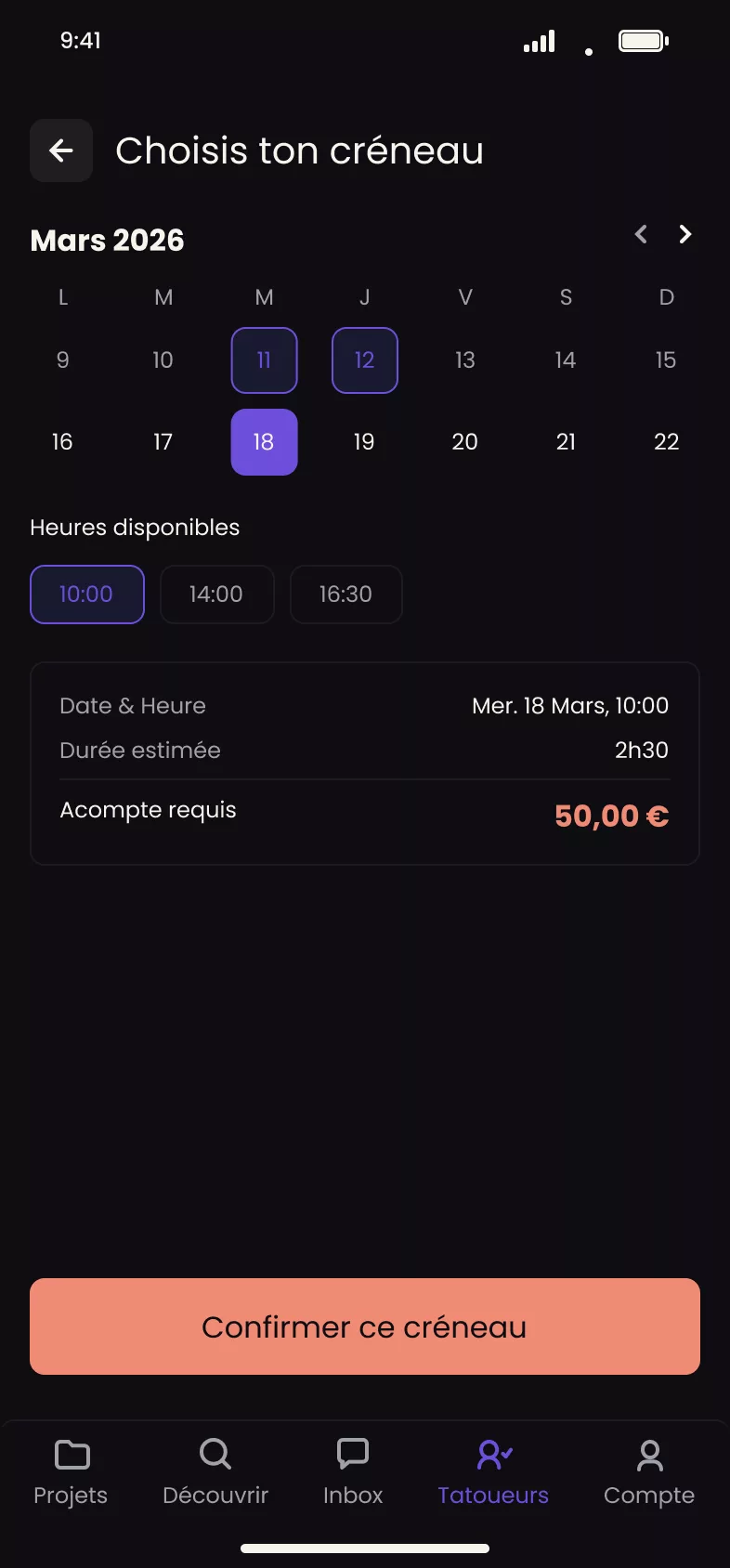
- Choose your artist and slot from Tattooed's suggestions, then open the session summary.
- Start the payment. A secure sheet opens for you to enter your card details. Google Pay is also available on Android. Delayed payment methods are not accepted. The charge must be immediate for the slot to be booked.
- Confirm the payment. If your bank accepts it, the payment sheet closes and the app displays a waiting screen.
- Wait for server confirmation. The payment sheet closing only means that your bank accepted the charge, not that your appointment is confirmed. A separate server notification actually confirms the session. It usually arrives in less than a second.
The 30-minute countdown
The slot remains held for 30 minutes after an artist is assigned to you. The countdown restarts whenever you change the artist or slot among the suggestions. It does not measure how long you hesitate. It restarts because you have just changed your choice. If the period ends without a confirmed payment, the slot is released and you must start a new search.
If confirmation is delayed
If the waiting screen remains for more than about 30 seconds without confirmation, the payment has not failed. Your card has already been charged, and only the notification is delayed. The app asks you to wait instead of paying a second time.
For declined payments, see What happens if my payment fails?